🍅 Pomodoro Timer + Task Manager
A downloadable tool
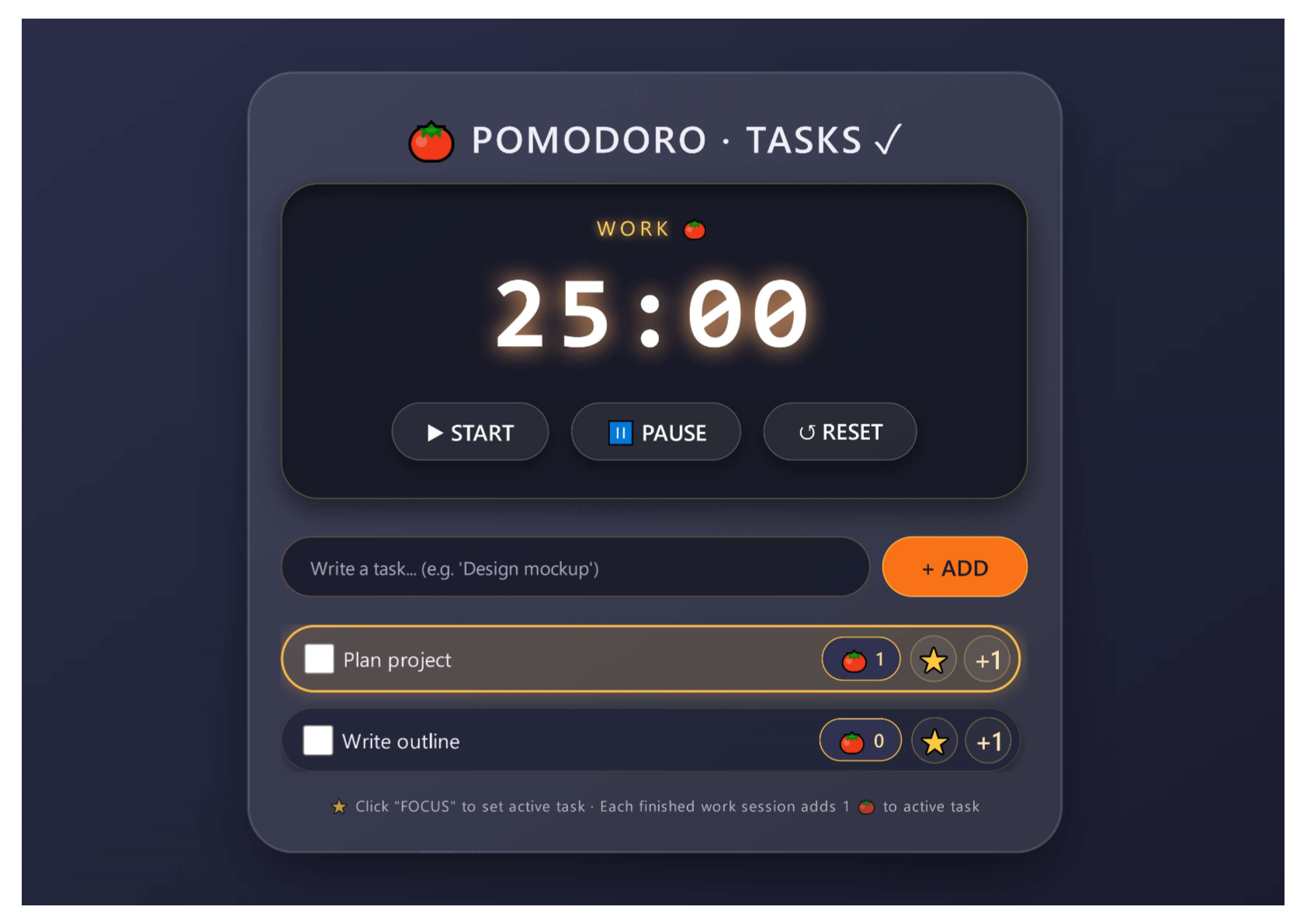
⏰ Pomodoro Timer + Task Manager combines the proven Pomodoro Technique with a built‑in task list, so you can plan your work, track your focus sessions, and see your progress – all from a single, beautiful interface.
Set a 25‑minute work session, then a 5‑minute break. While the timer runs, you can check off tasks, assign a “focus” task, and watch your pomodoro count grow with every completed work interval. The timer automatically switches between work and break, plays a gentle beep, and sends a browser notification when a session ends.
Tasks are persisted in memory (or you can easily add localStorage support) – perfect for a quick focus session without needing an account.
✨ Features:
- 🍅 Pomodoro timer – 25 min work / 5 min break cycles, with automatic switching.
- 📋 Task manager – add, complete, and prioritize tasks.
- ⭐ Focus mode – mark any task as “active” to stay on track.
- 🍅 Pomodoro counter – each completed work session adds 1 tomato 🍅 to your active task.
- 🔔 Audio & notifications – beep and browser notification when a session ends.
- 🎨 Dark, glass‑morphism UI – easy on the eyes, perfect for late‑night focus.
- ⏯️ Timer controls – start, pause, reset at any time.
- ➕ Manual increment – add an extra pomodoro to any task (for offline sessions).
- ✅ Task completion – check off tasks to mark them done.
- 📱 Responsive – works on desktop and mobile devices.
📦 How to use:
- Add tasks – type a task in the input field and click “+ ADD” (or press Enter).
- Focus on a task – click the ⭐ button next to any task to set it as active.
- Start the timer – click ▶ START to begin a 25‑minute work session.
- Work until it rings – when the timer hits 0, it beeps, sends a notification, and automatically adds 1 🍅 to your active task (if you have one).
- Take a break – the timer switches to a 5‑minute break, then starts the next work session automatically.
- Pause or reset – use ⏸️ PAUSE or ↺ RESET to control the timer.
- Complete tasks – check the box next to a task to mark it done.
- Manual pomodoro – click the ➕ button to add a pomodoro to any task without waiting for the timer.
All timer and task data stays in memory during your session – refresh the page to reset everything (perfect for a fresh start each time).
💡 Perfect for:
- Students studying for exams.
- Freelancers and remote workers managing multiple projects.
- Anyone who loves the Pomodoro Technique.
- Minimalist productivity enthusiasts.
- Developers looking for a lightweight, self‑contained timer widget.
🛠️ Built with:
- Vanilla JavaScript (no frameworks)
- Web Audio API for sound effects
- Browser Notifications API
- Pure CSS with glass‑morphism design
- Responsive layout – works on all screen sizes
Download
Leave a comment
Log in with itch.io to leave a comment.