Electronic Components Lab – 3D & 2D Simulation
A downloadable game
**Build. Experiment. Blow things up (safely).**
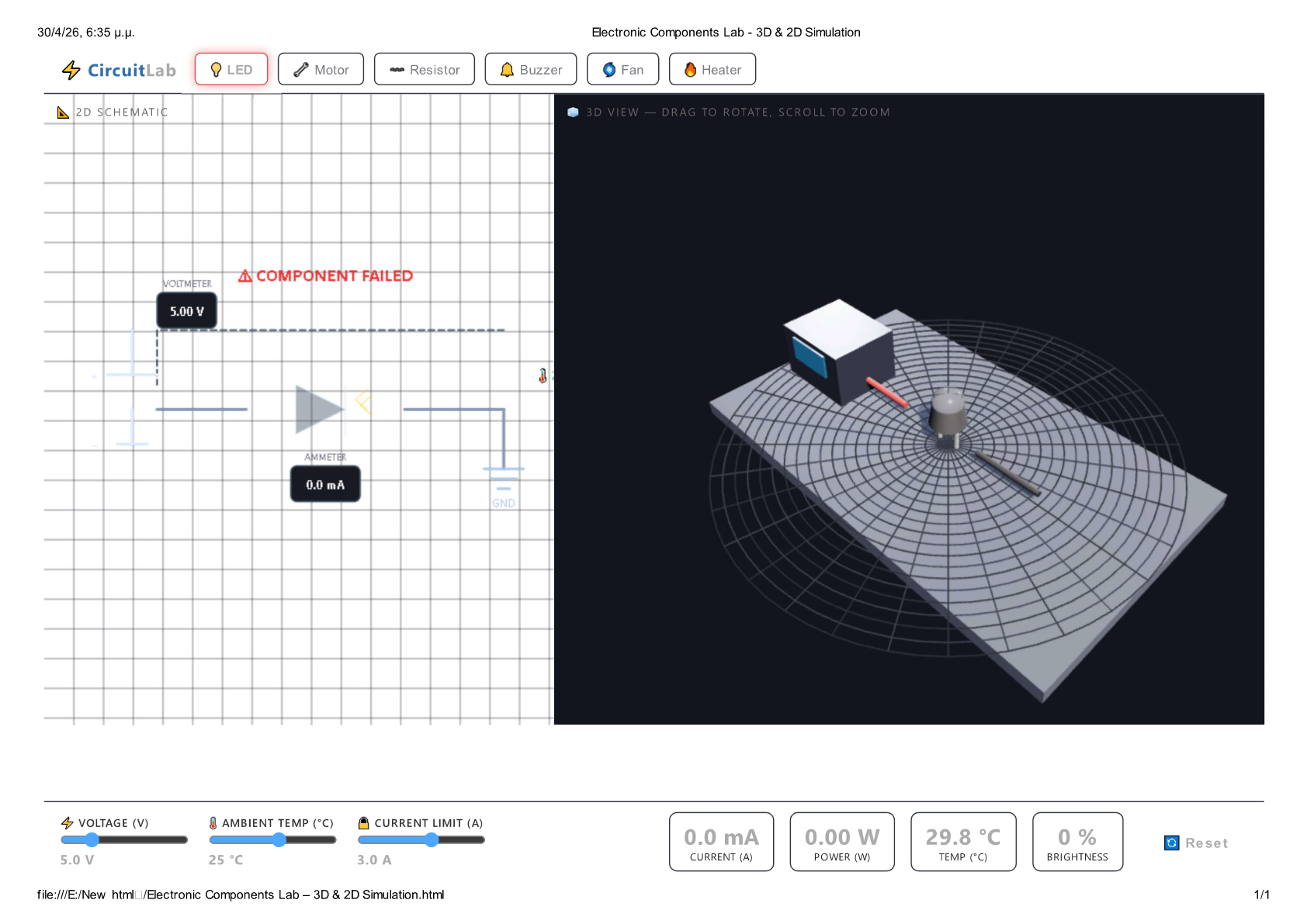
A real‑time electronics sandbox where you control voltage, ambient temperature, and current limits – then watch how six different components behave. See the circuit come alive in a **rotatable 3D view** and a detailed **2D schematic**.
---
## 🎮 What You Do
1. **Pick a component** – LED, DC Motor, Resistor, Buzzer, Fan, or Heating Element.
2. **Adjust the knobs** – Voltage (0–24 V), Ambient Temp (0–45 °C), Current Limit (0.1–5 A).
3. **Observe live readings** – Current (mA), Power (W), Temperature (°C), plus component‑specific data (RPM, brightness, frequency, resistance).
4. **Watch it fail** – Exceed thermal limits or overcurrent thresholds, and the component will smoke, dim, or stop working.
5. **Reset anytime** – Get a fresh start and try a different component or extreme conditions.
---
## 🔬 Key Features
- **⚡ Real‑time physics engine** – Each component has its own electrical and thermal model (forward voltage, winding resistance, back‑EMF, heat capacity, cooling rate).
- **🧊 Dual‑view interface** –
- *2D Schematic*: Shows circuit diagram, voltmeter, ammeter, temperature indicator, and component icon.
- *3D View*: Fully interactive (**drag to rotate**, **scroll to zoom**) with animated parts (LED glow, motor/fan rotation, heater coil emissive heat).
- **🔥 Overheat & overcurrent damage** – Push a component too hard and it will permanently fail. The button turns red and the readings flash.
- **🎮 Keyboard shortcuts** –
- `1`…`6` – switch component
- `↑` / `↓` – increase/decrease voltage
- `←` / `→` – change ambient temperature
- `R` – reset all components
- **📊 Component‑specific behaviours**
| Component | Special output | Failure condition |
|-----------|----------------|-------------------|
| 💡 LED | Brightness %, glowing dome | > 32 mA or > 150 °C |
| 🔧 Motor | RPM (with back‑EMF) | > 160 °C |
| 〰️ Resistor | Actual resistance (temp‑coeff) | > 0.25 W * 2.5 for 2 seconds |
| 🔔 Buzzer | Frequency (Hz) | > 130 °C |
| 🌀 Fan | RPM | > 140 °C |
| 🔥 Heater | Glow intensity % | > 600 °C |
---
## 🖱️ Controls
| Action | Input |
|--------|-------|
| Select component | Click the buttons (or press `1`–`6`) |
| Adjust voltage | Slider or `↑` / `↓` keys |
| Adjust ambient temp | Slider or `←` / `→` keys |
| Set current limit | Slider |
| Reset all components | **Reset** button or `R` key |
| Rotate 3D view | Drag mouse / touch |
| Zoom | Scroll / pinch |
*All controls are real‑time – no simulation pauses.*
---
## 🧪 What You Learn
- How forward voltage affects LED current and brightness.
- Why motors have back‑EMF and why RPM drops under load.
- The effect of temperature on resistance (positive tempco).
- Thermal runaway: why components overheat and fail.
- How current limiting protects circuits.
Perfect for **students, hobbyists, or anyone curious** about electronics – without burning real components.
---
## ✨ Visual & Audio Feedback
- **LED** glows brighter with current, dims when hot.
- **Motor / Fan** shafts and blades spin faster at higher RPM.
- **Heater** coils turn red‑hot as temperature rises.
- **2D ammeter / voltmeter** update 60 fps.
- **Warning colours** – temperature gauge turns orange → red, current limit exceeded flashes.
- **Failure animation** – component greys out, button pulses red, and a toast message explains what went wrong.
---
## 🔧 Technical Notes
- Pure HTML5 + JavaScript + **Three.js** (3D).
- No plugins, no server – runs in any modern desktop or mobile browser.
- Full touch support for 3D rotation and zoom.
- Real‑time simulation with Verlet‑style thermal integration.
---
## 🎯 Try These Challenges
- **Push the LED** – Find the exact voltage where it burns out.
- **Max RPM** – Keep the motor below 160 °C while extracting max speed.
- **Heat vs. resistance** – Increase ambient temp and see how resistor current drops.
- **Current limit rescue** – Set a low limit and prevent a component from failing.
---
**Think like an engineer, play like a mad scientist. Ready to plug in?**
Download
Development log
- games37 days ago