Bridge Builder Tycoon
A downloadable game
Design. Construct. Test. Survive. A physics‑based bridge building simulation where you connect two cliffs, manage a budget, and guide a vehicle safely across. Every beam matters – choose materials wisely, create a continuous road path, and watch your structure handle the load.
🎮 Gameplay
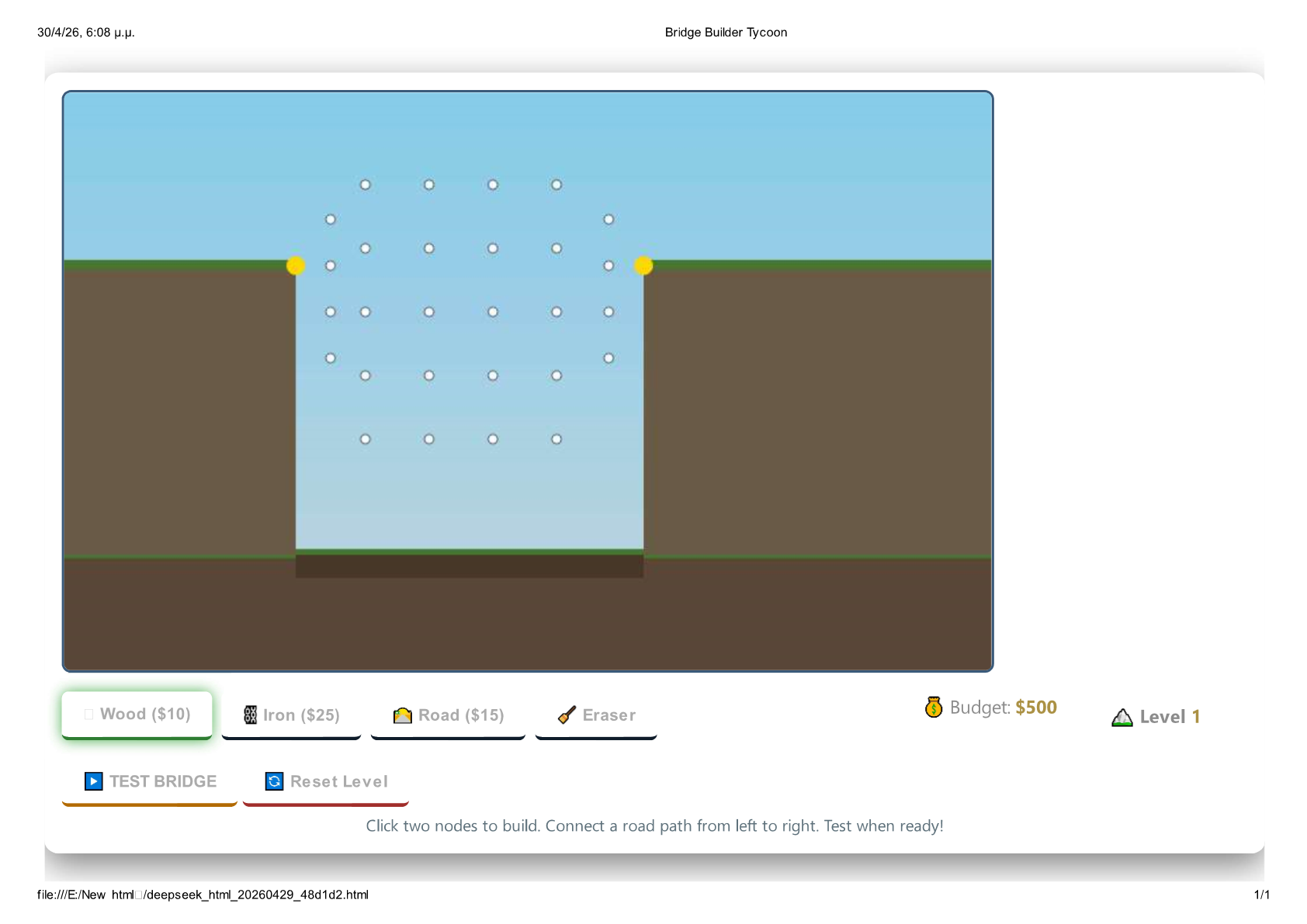
Build a bridge from the left anchor to the right anchor using a grid of node points. Connect nodes with different materials, then test your creation with a moving vehicle. If the bridge holds, you earn a bonus and advance to the next, more challenging canyon.
But beware – overstressed beams will snap, and a broken road segment means a spectacular (and costly) failure.
🛠️ How to Play
- Select a material – Wood (10),Iron(10),Iron(25), or Road ($15).
- Click two nodes to build a beam between them.
- Road segments are mandatory – You must form a continuous path of Road beams from the left golden anchor to the right one.
- Click TEST BRIDGE – The vehicle will drive along your road path, applying weight and dynamic forces.
- Watch stress indicators – Beams glow yellow → red as strain increases.
- Eraser tool – Click any beam to remove it (refund included).
Goal per level: Keep the bridge intact so the vehicle reaches the far side. Bonus: +$100 for a successful crossing.
📐 Materials & Mechanics
| Material | Cost | Strength | Stiffness | Best use |
|---|---|---|---|---|
| 🪵 Wood | $10 | Low (700) | Medium | Budget builds, light spans |
| ⛓️ Iron | $25 | High (2200) | High | Heavy loads, long gaps |
| 🛣️ Road | $15 | Medium (1200) | Medium | Required for vehicle path |
- Verlet physics engine – Nodes move, bend, and transfer forces realistically.
- Beam breakage – Calculated from tensile/compressive stress.
- Vehicle mass increases with each level (12 → 20 → 30).
- Gravity pulls down the vehicle and distributes load across connected road nodes.
🏔️ Levels
| Level | Gap Start | Gap End | Budget | Vehicle Mass |
|---|---|---|---|---|
| 1: Easy Crossing | X:200 | X:500 | $500 | 12 |
| 2: Wide Canyon | X:150 | X:650 | $800 | 20 |
| 3: The Great Divide | X:100 | X:700 | $1100 | 30 |
Advance by completing a level, or Reset Level to try a different design.
🖱️ Controls
| Action | Input |
|---|---|
| Select building material | Click Wood / Iron / Road button |
| Delete a beam | Click Eraser, then click the beam |
| Place beam | Click first node → click second node |
| Start test | Click TEST BRIDGE |
| Restart level | Click Reset Level |
| Next level | Click Next Level (appears after success) |
All interactive hotspots are highlighted – no keyboard needed.
✨ Features
- ⚛️ Real‑time physics simulation – Nodes, constraints, stress, and breakage.
- 🎨 Visual stress feedback – Beams glow orange/red under high load.
- 🔁 Undo/erase – Remove any beam and get a full refund.
- 🧠 Strategic depth – Balance cost vs. strength, plan node placement, and ensure a connected road path.
- 📈 Level progression – Three increasingly difficult canyons.
- 💾 Instant reset – Restart a level with full budget.
🔧 Technical Notes
- Pure HTML5 / JavaScript – runs in any modern desktop browser.
- Canvas‑based rendering with dynamic collisions and constraints.
- Optimised for mouse input (crosshair cursor, click‑to‑connect).
Think like an engineer, build like a tycoon, and don’t let the bridge fall. Ready to span the gap?
Download
Development log
- games37 days ago